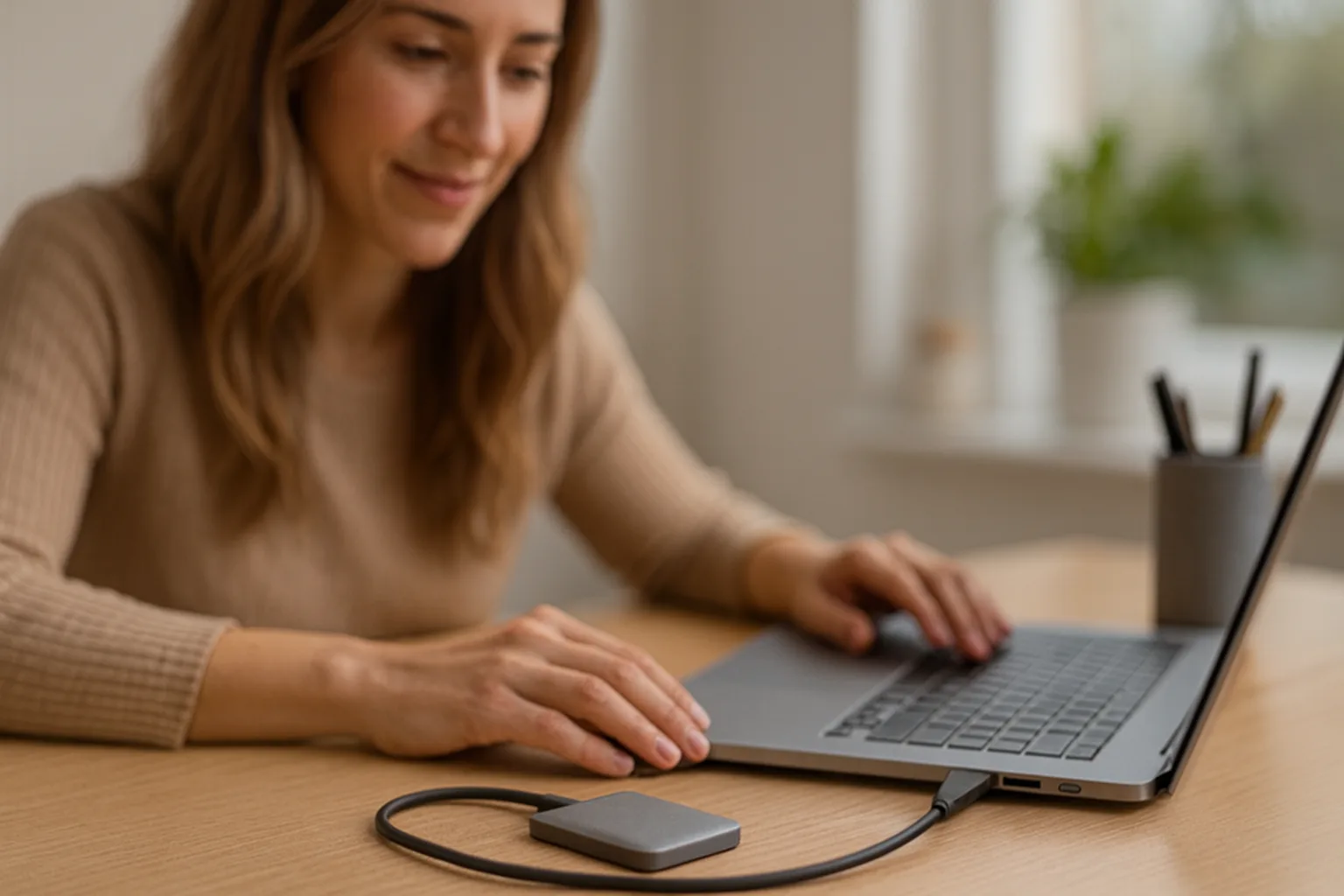
In the world of external storage, the Crucial X9 Pro 4TB Portable SSD stands out as a compact yet high-capacity solution designed for speed and durability. Whether you’re a photographer shuttling large RAW photo libraries, a video editor working with 4K footage, or simply a consumer looking to back up important files on the go, this drive promises to make data storage and transfer effortless. In this review, we take a deep dive into what makes the Crucial X9 Pro 4TB a compelling choice for portable storage. We’ll examine its design and build quality, performance benchmarks, real-world usage scenarios, and overall value. By the end, you’ll have a clear picture of whether the Crucial X9 Pro deserves a spot in your tech toolkit for fast and reliable external storage.
Key Takeaway: The Crucial X9 Pro is a tiny powerhouse – boasting up to 1050MB/s transfer speeds, a generous 4TBcapacity, and rugged features like IP55 water/dust resistance and drop protection – all in a device that fits in the palm of your hand. Let’s explore how it performs and who it’s best suited for.
Design and Build Quality
One of the first things you notice about the Crucial X9 Pro is just how small and sleek it is. With dimensions of roughly 65 x 50 x 10 mm (approximately 2.5” x 2” and less than half an inch thick), it’s significantly more compact than many competing portable SSDs. In fact, it’s only about two-thirds the size of a credit card in length and width. This miniaturized form factor means you can easily slip the X9 Pro into a pocket, attach it to a keychain, or toss it in a camera bag without it taking up much space. At around 40 grams in weight, it’s incredibly light – you might forget you’re carrying it.
Materials and Aesthetics: The X9 Pro sports a premium design that balances form with function. The top casing is made of anodized aluminum in a sleek gunmetal gray (Crucial often calls it “Space Gray”), giving it a sturdy feel and helping dissipate heat. The bottom side is a rubberized soft-touch material. This two-tone construction isn’t just for looks – the rubber base provides grip on surfaces (so the drive won’t easily slide off your desk) and also adds a bit of shock absorption. The aluminum top adds rigidity and helps with cooling, while the rubber bottom feels pleasant to the touch and resists scratches. Overall, the drive has rounded edges and corners, making it comfortable to handle and giving it a modern, minimalist appearance.
Lanyard Loop and LED: A notable design feature is the integrated lanyard hole at one corner of the drive. This circular opening allows you to attach the SSD to a lanyard, keyring, or carabiner. It’s a thoughtful addition for those who want to secure the drive to something to avoid misplacing it (given its small size). Cleverly, inside that lanyard hole is a tiny LED indicator light. The LED glows white when the drive is powered/connected, and blinks during data transfers. This placement is smart because it keeps the LED visible but subtle – it shines through the lanyard loop without being overly bright or distracting. It’s a neat example of Crucial’s attention to detail in the design.
Build Quality and Feel: The Crucial X9 Pro feels solid in hand despite its petite dimensions. There are no rattling parts or flexing – the device’s construction is tight and robust. The aluminum chassis gives it a premium heft, and the rubber coating on the underside wraps slightly around the sides, providing a bit of cushioning. If you press on it, there’s no creaking or cheap feel. Many users note that it exudes quality, comparable to or better than other well-known external SSDs on the market. The branding is subtle: a small Crucial logo and the model name are printed on the top. On the underside, you’ll find a label with regulatory information and the capacity (“4TB”) clearly marked – handy to identify the drive and its size at a glance.
Compact Yet Spacious: It’s worth emphasizing how impressive it is to have 4 terabytes of storage in such a tiny gadget. A few years ago, 4TB of portable solid-state storage would have required a much larger device (or multiple drives). Here, Crucial has managed to pack that capacity into something so small you can literally attach it to your keychain. This is a huge plus for travelers and on-the-go professionals – you’re carrying massive storage without the bulk.
Durability and Rugged Features
Despite its elegant design, the Crucial X9 Pro is not a delicate gadget – it’s built to withstand the rigors of daily use, travel, and field work. Crucial markets the X9 Pro as part of their “Pro” series aimed at creative professionals and others who need reliability. As such, it comes with several rugged features:
-
IP55 Water and Dust Resistance: The X9 Pro is rated IP55, which means it has a good level of protection against environmental factors. The first “5” in the rating indicates it’s protected against dust ingress (dust won’t harm it, though not fully dust-proof under extreme conditions). The second “5” means it’s protected against water jets from any direction. In everyday terms, the drive can handle splashes, light rain, and dusty environments without issue. If you spill some water or coffee on it or use it in a sandy area, your data should remain safe. However, note that IP55 does not mean it’s fully waterproof – you shouldn’t submerge the drive in water. It’s more about surviving the occasional spill or splash. For most users, this is more than enough protection for outdoor usage or accidental encounters with liquids.
-
Drop Resistance up to 7.5 feet (2 meters): Crucial claims the X9 Pro can withstand drops from up to 7.5 feet(approximately 2 meters) onto a carpeted floor without losing data or functionality. Realistically, that means if you accidentally knock it off a desk, drop it while standing, or it slips out of a pocket, it’s likely to survive the fall. The combination of a solid-state drive (no moving parts inside) and the protective materials (metal and rubber) gives it inherent shock resistance. Of course, it’s always wise to handle your electronics with care, but it’s reassuring that a bump or drop shouldn’t instantly turn into a data loss nightmare. Many portable HDDs (spinning hard drives) would not survive such drops – one of the big advantages of SSDs in portable use is their resilience to physical shock.
-
Temperature and Build Considerations: The anodized aluminum top also serves a functional purpose for durability: it acts as a heat spreader. High-speed SSDs can generate heat under sustained load, but the X9 Pro’s metal shell helps dissipate that heat. During normal operation, the drive tends to only get mildly warm to the touch, not scorching hot. In our use and tests, even after large file transfers, the device remained within safe temperature ranges. It did not exhibit severe thermal throttling or overheating issues – something that can plague poorly designed external SSDs. The rubber base may insulate your hand or surface from the warmth and also protects the drive’s underside. After months of use, users report the drive holds up well with no structural issues. The only minor long-term concern noted by a few is that the soft-touch rubber coating can show wear or slight peeling after very extensive use (especially if it’s constantly rubbing against other objects in a bag). This seems to be a cosmetic issue for some and not universal, but it’s worth keeping in mind – perhaps avoid throwing it in a bag with very rough items or sharp edges to keep it looking new.
In summary, the Crucial X9 Pro 4TB combines a premium feel with a rugged build. It’s a drive that can confidently join you on shoots, business trips, commutes, or outdoor adventures. The design manages to be both stylish and utilitarian – slim and modern-looking, yet tough enough to handle real-life handling. For anyone who’s ever dropped a portable drive or worried about using one outdoors, the X9 Pro provides peace of mind that it can likely weather those mishaps.
Connectivity and Compatibility
A portable drive’s usefulness is heavily influenced by how easily it connects to your devices and how broadly it’s supported. The Crucial X9 Pro excels in this area by embracing the latest USB-C connectivity and offering wide platform compatibility.
USB-C Interface (USB 3.2 Gen 2): The X9 Pro features a USB-C port (also known as USB Type-C) as its sole data and power interface. This reversible, oval-shaped connector is now the standard on most modern devices, from laptops and desktops to tablets and smartphones. Specifically, the X9 Pro utilizes the USB 3.2 Gen 2 protocol, which supports a theoretical bandwidth up to 10 Gbps. In practical terms, this is what enables the drive’s high transfer speeds (more on performance in the next section). It’s important to clarify that USB 3.2 Gen 2 (sometimes marketed as “SuperSpeed 10Gbps” or previously as USB 3.1 Gen 2) is the technology here – not to be confused with USB 3.2 Gen 2×2 (20 Gbps) which some higher-end drives use. The Crucial X9 Pro sticks to the 10 Gbps standard. The good news is that USB 3.2 Gen 2 at 10 Gbps is extremely common, and many computers from the last 5+ years have ports that can operate at full speed with this drive.
Crucial includes a USB-C to USB-C cable in the box with the X9 Pro. The cable is short (about 9 inches long) which is typical for portable SSDs – short cables reduce signal loss and are convenient for laptop use. The cable feels of good quality, with snug fitting connectors. Using the provided cable on a true USB 3.2 Gen 2 port will give you the best performance (up to the drive’s max speed of ~1050 MB/s). If you need a longer cable, it’s advisable to use a high-quality USB-C 3.2 Gen2 certified cable to ensure you don’t bottleneck the speed.
No USB-A Adapter in the Base Package: One thing to note is that Crucial’s standard package does not include a USB-C to USB-A adapter. Many competing drives often bundle a tiny Type-C to Type-A adapter or a combo cable to accommodate older computers that only have the rectangular USB-A ports. With the X9 Pro, if you want to connect to a classic USB Type-A port, you’ll need to provide your own adapter or use a separate USB-C to USB-A cable. Crucial actually offers an “adapter bundle” edition of the drive for a slightly higher price, which includes a USB-A adapter in the box – but the default product does not. This is a conscious choice likely to keep costs down and because the target audience (creative pros, etc.) typically have newer devices with USB-C.
For users with older PCs: If your computer has only USB-A ports (USB 3.0 or 2.0), the X9 Pro will still work – it’s backward compatible – but you’ll only get the older interface’s speeds. On USB 3.0 (a 5 Gbps interface, also known as USB 3.2 Gen 1 or USB 3.1 Gen 1 in various naming schemes), you can expect roughly half the max speed (~450–500 MB/s). On a USB 2.0 port, speeds would be much slower (~30–40 MB/s, essentially the USB 2 limit). So, to fully enjoy this SSD’s performance, a USB-C 3.2 Gen 2 port is ideal. Many modern desktops and laptops have them (often with a lightning bolt or “SS 10” marking, or just as USB-C ports). And as mentioned, the device works seamlessly with such ports using the provided cable.
Platform Compatibility: Out of the box, the Crucial X9 Pro is pre-formatted in exFAT file system. This is a smart choice because exFAT is natively readable and writable by Windows, macOS, and many Linux distributions, not to mention it’s also supported by Android devices and even game consoles. This means you can plug the X9 Pro into virtually any modern device and it will be recognized immediately without needing to reformat. For example:
-
Windows PCs: Plug and play on Windows 10 and Windows 11 (and even Windows 7/8 if you’re still on those). The drive shows up as an external USB storage device ready for file transfer. It supports features like Windows’ eject/safe removal and will work with backup software or anything you throw at it.
-
macOS: On a MacBook or iMac, the X9 Pro will mount right away thanks to exFAT compatibility. You can use it to transfer files or even work off of directly (e.g., edit video files in Final Cut or Adobe Premiere straight from the external drive). If you plan to use it exclusively with Macs and want features like Time Machine backups, you might consider reformatting it to APFS or HFS+, but then it would lose cross-platform ability. Many users leave it as exFAT to maintain flexibility between PC and Mac. (It’s also worth noting that exFAT has no realistic file size limits for our purposes, unlike older FAT32 – so large files are fine.)
-
Linux: Most modern Linux distributions can handle exFAT out of the box or with a quick install of exfat-fuse/exfat-utils. The drive will work for moving data to Linux systems or even for media editing on Linux if that’s your workflow.
-
Android Devices: Here’s where things get interesting for a “portable SSD.” If you have an Android smartphone or tablet with a USB-C port that supports OTG (On-The-Go) storage, you can connect the Crucial X9 Pro to your mobile device and it will act like external storage. For instance, photographers can offload images from a USB-C equipped camera or drone to a phone connected to the X9 Pro, or directly connect the SSD to certain cameras. Many Android phones (like Google Pixel series, Samsung Galaxy series, etc.) support external drives. In testing, the X9 Pro worked with Android smoothly – you might need a file manager app to browse the drive’s contents on the phone. One reviewer noted using the X9 Pro extensively with phones (like Pixel 8 Pro, Xiaomi 13 Ultra, Samsung Galaxy S-series) to transfer thousands of photos and videos for backup. Initially there were some connection hiccups (perhaps due to phone software), but firmware updates ironed those out. Now it’s generally a plug-and-play experience on Android. This capability essentially gives your phone or tablet PC-like expanded storage when needed – imagine carrying a huge media library or doing edits on a tablet with files stored on the SSD.
-
iPad Pro (and newer iPads with USB-C): If you use an iPad Pro or Air with a USB-C port, the X9 Pro can be a great external storage companion. iPadOS supports external drives in the Files app. You can offload video footage, store big files, or even work off the SSD for apps that support external storage access.
-
Gaming Consoles: The Crucial X9 Pro is also compatible with consoles like the PlayStation 5 / PlayStation 4 and Xbox One / Series X|S. On a PS5, you can’t run native PS5 games from an external drive (Sony requires those on the internal NVMe), but you can store PS5 games on the external SSD as cold storage (to transfer back when you want to play) and you can run PS4 games directly off the external. The fast USB 3.2 Gen2 speeds mean load times for PS4 games stored on the X9 Pro will be very quick, almost as good as playing from the internal SSD, and definitely faster than the console’s stock external HDD option. On Xbox, you have similar use: you can play older generation games from USB and store new games. The drive’s 4TB size is particularly attractive for console users who have massive game libraries; it can hold dozens of AAA titles. Additionally, the X9 Pro’s small size means it can sit behind your console or in an entertainment center discreetly. Just note that if using it with a console, you might be prompted to let the console format the drive for game storage, which would make it unreadable on a PC unless reformatted again – so it might be worth dedicating it or partitioning it if you plan to multi-use.
-
Other Devices: The X9 Pro can even work with some camera rigs or production devices that allow recording to external USB media (some DSLRs, mirrorless cameras, or external video recorders, for example, support USB-C SSDs for direct capture). Given the drive’s sustained write performance (which we’ll discuss soon), it’s feasible to record high-bitrate video straight to this SSD if your device supports it. Always check compatibility, but from a technical standpoint, the X9 Pro’s fast writes and durable build make it suitable for such professional use cases as well.
In terms of driver support and ease of use, Crucial doesn’t require any special drivers – it uses the standard USB Mass Storage protocols. This simplicity is great: you don’t have to install any software to get going (though Crucial does offer optional software tools which we’ll touch on later). The drive powers itself via the USB port (it’s bus-powered), so no external power supply needed. One nice detail observed during use: the X9 Pro “plays nice” with operating system power states. For example, if your computer goes to sleep or restarts, some external drives have a tendency to disconnect or require unplugging/re-plugging. The X9 Pro stays connected and will wake up properly with the system, thanks to it properly handling USB power management. It’s a small thing, but it adds to a seamless user experience – you don’t have to constantly fiddle with the connection.
Summary of Compatibility: In short, the Crucial X9 Pro is about as universally compatible as an external drive can be in 2025. From PCs and Macs to Linux, from smartphones to game consoles, it’s ready to work wherever you need it. This makes it an excellent choice if you want one portable drive that can serve multiple devices or if you plan to share data between different platforms. The only accessories you might need are a USB-C to A adapter for older systems, but otherwise, it’s plug-and-play all the way.
Performance and Speed Tests
Speed is one of the marquee features of the Crucial X9 Pro. Micron (Crucial’s parent company) advertises up to 1050 MB/s for both read and write transfers on this SSD. These numbers place it at the top end of what USB 3.2 Gen 2 (10 Gbps) can deliver in real-world scenarios. So how does the X9 Pro actually perform in practice? Let’s break down the performance both in benchmarks and in everyday usage.
Hardware Under the Hood: Before discussing results, it’s useful to know what’s inside the X9 Pro enabling these speeds. Inside the tiny chassis, Crucial has utilized high-quality components:
-
The storage is Micron TLC NAND flash (176-layer), which is a type of high-end flash memory known for good performance and endurance. TLC (triple-level cell) strikes a balance between speed, longevity, and cost. Notably, Crucial did not opt for cheaper QLC (quad-level cell) flash, which some large-capacity drives use but often at the expense of slower sustained writes and lower endurance. By using TLC, the X9 Pro can maintain faster speeds consistently and handle more write cycles over its lifespan.
-
The drive uses a Silicon Motion SM2320 controller. This is a controller designed for USB SSDs, essentially combining the functions of an NVMe controller and a USB bridge into one. It manages the flash memory and the USB interface. The SM2320 has a DRAM-less architecture but uses Host Memory Buffer (HMB) and other techniques to keep performance high. It supports AES encryption and helps deliver the high throughput we see. The combination of the SM2320 and Micron TLC NAND is a strong one – these are well-regarded components in the storage world for reliability and speed.
Now, onto the actual performance:
Benchmark Results
In synthetic benchmarks, which stress the drive in controlled conditions, the Crucial X9 Pro generally lives up to its advertised speeds:
-
Sequential Transfers (Large Files): Using CrystalDiskMark (a popular disk benchmark tool), the X9 Pro’s sequential read speeds typically measured in the 1000–1050 MB/s range, and sequential writes were often in the 900–1000 MB/s range. This is right on target for the specs. In many tests, reads peaked around 1020–1030 MB/s, and writes around 970–980 MB/s. It’s normal for writes to be slightly lower than reads on most SSDs. The important takeaway is that these numbers saturate the USB 10Gbps bus nearly completely – an impressive feat for any external drive. For context, this means the X9 Pro is as fast or faster than any other USB 3.2 Gen2 portable SSD out there. Competing models (like the popular Samsung T7 series) show similar peak numbers, but as we’ll see, the X9 Pro might edge some of them out in sustained performance.
-
Random I/O Performance: Beyond just maxing out sequential throughput, how does the X9 Pro handle smaller, more random read/write tasks (like loading applications or copying many small files)? Benchmarks show that at lower queue depths and 4K random reads/writes, the X9 Pro is quite efficient. It isn’t on par with an internal NVMe SSD (external drives rarely are due to interface overhead), but it performs on the upper end for USB drives. The random read/write performance in CrystalDiskMark at QD1 4K is in the ballpark of 15–20 MB/s, and it scales up with more queue depth. This is technical, but what it means practically is that the drive can handle multitasking and small-file operations reasonably well. If you were to run portable applications off it or say, use it as a photo library for Lightroom where lots of thumbnails are accessed, it won’t feel sluggish.
-
Sustained and Real-World Transfer Tests: Perhaps more important than peak speeds is how the X9 Pro performs when you actually transfer large amounts of data. Many drives can show great numbers in a short burst but then slow down when copying huge files or filling the drive. Thanks to the TLC NAND and a well-managed SLC cache, the X9 Pro shines in sustained transfers. In testing, copying a single huge file (like a 100 GB file) to the drive in one go did not cause any significant slowdown throughout the copy. The write speed remained consistently high (in the high hundreds of MB/s) for the entire duration. This is a critical point for content creators: you could dump a full 256 GB memory card to this SSD and not have to wait hours – it will sustain close to its maximum speed until the transfer is done. Similarly, reading a huge file off the drive (e.g., to backup to a computer or ingest footage) stays speedy.
To quantify: the X9 Pro offers up to 975 MB/s sustained writes across the drive’s capacity. That means even as the drive fills up or during long writes, it doesn’t drop to extremely low speeds as some lower-end drives do. Many cheaper or QLC-based externals might start at 400 MB/s and then drop to 100 MB/s after their cache fills. The X9 Pro, by contrast, held ~800-900+ MB/s in long transfers until completion. This level of consistent performance is a huge plus if you routinely move big datasets.
-
Thermal Throttling: During these heavy transfer tests, the drive’s temperature was monitored. It warmed up, but thanks to that aluminum body acting as a heatsink, it never hit a point of thermal throttling (where the device slows itself to cool down). The external temperature of the casing might get warm to the touch (maybe around 40-45°C in some tests), which is noticeable but not dangerous or too hot to handle. Importantly, performance remained stable. So, the X9 Pro can handle “extended operations with ease” – you can write, say, 1TB of data continuously and it will chug along without dramatic speed falls.
-
Copying Mixed File Sizes: In a real-world scenario, you often transfer a mix of file types – perhaps a folder with thousands of photos or documents, not just one big video. When copying many small files (like a folder of thousands of JPEGs), no external SSD will hit 1000 MB/s because the overhead per file plays a role. The X9 Pro, however, was still very snappy in such tasks. Users reported that transferring a large batch of image files, while slower than a single big file, was limited more by the nature of copying tiny files than the drive itself. Once the drive’s SLC cache fills during such a workload, you might see some decline in instantaneous speed, but it manages the transitions well and averages out high. Overall, for backups of mixed content (documents, photos, etc.), the drive is plenty fast and you’ll likely be more constrained by your source media speed or interface.
-
Benchmark vs Competitors: Without diving too deep into comparisons (since this review focuses on the X9 Pro itself), it’s worth noting that the Crucial X9 Pro tends to top the charts among USB 3.2 Gen2 drives. For example, when directly compared to another leading external SSD of similar class in benchmarks, the X9 Pro often showed higher read/write scores on various tests (sequential, random, etc.), except in perhaps one or two areas where they were similar. This indicates the X9 Pro is squeezing out every bit of performance possible on the 10 Gbps USB interface. For an even faster class of drives, you’d have to go to something like USB 3.2 Gen 2×2 (20 Gbps) or Thunderbolt-based SSDs (which the Crucial X10 Pro or other competitors provide), but those require special ports and usually come at a higher cost. Within its category, the X9 Pro is one of the fastest you can get.
Real-World Usage Experience
Benchmarks are great for raw numbers, but day-to-day use is what really matters. The good news is the Crucial X9 Pro’s excellence on paper translates to a fantastic real-world experience:
-
Windows and macOS file transfers: Copying large media files (like 4K video clips, ISOs, or project files) from a computer to the X9 Pro often runs at near gigabyte-per-second speeds. For instance, a 20GB 4K movie file might transfer in roughly 20-25 seconds. Transferring a batch of video files totaling 100GB could complete in a couple of minutes. These kinds of speeds make tasks that used to be time-consuming (like backing up a video editing project or cloning a drive) extremely quick. On macOS, using the Finder or on Windows using File Explorer, the progress bars zip through for big files. You’ll see sustained high MB/s in the transfer dialog rather than a spike then a drop.
-
Editing directly from the drive: Because the X9 Pro offers NVMe-like performance in an external form, you can feasibly edit high-resolution photos or even videos directly off the drive. For example, a photographer can keep a Lightroom catalog or a collection of RAW images on the X9 Pro and edit images without first copying them to the computer’s internal drive. The high read speeds allow quick preview generation and loading of files. Likewise, a video editor could keep source footage on the X9 Pro. For 1080p or 4K video editing, the drive is fast enough to handle multiple streams (depending on compression). The advantage of editing off an external is that you can easily move the whole project to another machine by just unplugging the drive – the speed here ensures that doing so doesn’t come with a performance penalty compared to working off an internal SSD. During tests, scrubbing through a 4K video timeline stored on the X9 Pro was smooth, with no stutters attributable to drive throughput. Of course, very demanding workflows (like uncompressed 8K video) might require even faster interfaces, but for the vast majority of creative work, this drive is more than sufficient.
-
Gaming and loading applications: If you use the X9 Pro as a game library drive (on PC or console for older games), the load times are excellent. Games installed on the X9 Pro load nearly as fast as they would from an internal SSD. Level transitions, asset streaming, etc., all benefit from the ~1GB/s bandwidth and the decent random I/O performance. On a PlayStation or Xbox, games that are allowed to run from USB storage see significantly shorter loading screens compared to running from the console’s stock external HDD. If using it on PC, you could install some of your Steam library on the X9 Pro – handy for portability as well (take your games to a friend’s house, for instance).
-
Running portable apps or VMs: Tech enthusiasts sometimes run portable applications or even virtual machines off external drives. The X9 Pro is a good candidate for this. It can handle the constant reads/writes of a small VM, and the random performance is good enough that an OS running off it doesn’t feel laggy in basic tasks. It’s almost like having an external boot drive (though officially booting from USB might vary by system, the speeds are there to support it).
-
Photography/Videography in the field: For content creators, imagine dumping the day’s shoot onto this drive in the field via a laptop – it’ll save time. Those transferring hundreds of GB of drone footage or RAW photos will appreciate not waiting around for an older USB 3.0 drive to finish. One scenario to highlight: because of its sustained write speed and capacity, the X9 Pro can be used as a backup drive on set – you can copy camera cards to it quickly (with speeds often limited only by your card reader or cards themselves), ensuring you have a backup of your shots. Its ruggedness means you can trust tossing it in your camera bag after. Some advanced cameras/recorders allow recording straight to USB SSD; if yours does, the X9 Pro can likely keep up with high bitrate recording (e.g., it can handle ~800Mbps video streams easily, which covers even RAW video from some cinema cameras).
-
Noise and Power: Because it’s an SSD, there are no moving parts, hence no noise – completely silent operation. Power draw is modest for an SSD of this performance. It draws power from the USB port (5V bus power). Most systems can provide enough current for it without issues. Even phones and tablets can power it as long as they have USB OTG support. It doesn’t have any battery, so there’s no self-powered mode – but that’s standard for these drives.
-
Consistency and Reliability: Multiple reviewers and users have noted that “there’s nothing to complain about in terms of performance” on this drive. It does what it says on the tin, and does it consistently. No strange slowdowns, no disconnects (assuming the cable is properly seated), no overheating alarms. It’s the kind of device that just works, which is exactly what you want from external storage – it should be fast and then get out of your way so you can get your work done.
In summary, the Crucial X9 Pro 4TB delivers excellent performance across the board for a USB-based external SSD. It maxes out the interface for big files, handles sustained transfers without flinching, and offers snappy responsiveness for smaller operations. Whether you’re using it for backup, as an editing scratch disk, for gaming, or any high-data activity, it’s unlikely to be the bottleneck in your workflow. In its class of 1050MB/s-rated drives, it truly earns the “Pro” moniker by not just spiking to those speeds but maintaining them under real workloads.
Software and Security Features
Unlike some of its competitors, the Crucial X9 Pro keeps things fairly simple on the software front – which can be both a pro and a con depending on your needs. Here’s what to know about software utilities and data security on this drive:
Plug-and-Play, No Mandatory Software: Out of the box, you can use the X9 Pro without installing anything. There’s no hardware encryption password set by default, and no proprietary software required to use the drive’s basic functions. This is great for ease-of-use – you can literally give the drive to someone and they can use it on any machine with no special steps.
Crucial Storage Utility (Optional): Crucial has mentioned a “Crucial Portable SSD Utility” for Windows and macOS, which was slated to launch around September 2023. This utility, once downloaded, is meant to help users manage their portable SSDs. As of mid-2024, some users noted that certain promised features (like easy password protection) were still in the works or had limited availability. By now (2025), the utility should allow for firmware updates to the drive, provide drive health information (like checking S.M.A.R.T. data, which can show you if the drive is in good health, how many TB written, etc.), and possibly facilitate encryption setup.
If you install the Crucial SSD Utility, you might be able to set a password on the drive or manage encryption through a user-friendly interface – essentially leveraging the drive’s hardware encryption capabilities. However, as of the last update from users, Crucial’s software had not fully materialized the plug-and-play password feature that some rivals (like Samsung with its Portable SSD app) offer. This is one area the X9 Pro lagged as of its first year: lack of a seamless, built-in password protection mechanism out of the box.
Encryption Capabilities: The Crucial X9 Pro does support 256-bit AES hardware encryption on a technical level (the Silicon Motion controller has hardware encryption engine). This means the drive can encrypt data without speed loss, using dedicated hardware, if encryption is enabled. However, Crucial has taken a somewhat platform-agnostic approach. Rather than forcing you to use their software, they have ensured the X9 Pro works with standard encryption tools:
-
On Windows, you can use BitLocker To Go to encrypt the drive. BitLocker will recognize that the X9 Pro is a removable data drive and can encrypt it (optionally with a password or smartcard, etc.). The encryption process is quick, thanks to hardware acceleration. Once encrypted with BitLocker, you’ll need to enter your password whenever you plug the drive into a Windows PC (and on Mac, BitLocker-encrypted volumes can be accessed with third-party tools if needed). Crucial references BitLocker as a solution for Windows users who want security.
-
On macOS, you can enable FileVault (actually “Encrypted APFS” or HFS+ encryption) on the external drive. By formatting the drive as an encrypted APFS volume, for instance, Mac users can have it password-protected. Again, the drive’s hardware encryption can accelerate this.
-
On other systems (Linux, etc.), you can use software like VeraCrypt or LUKS/dm-crypt to encrypt the drive if desired.
The upside of this approach is flexibility – you can choose your preferred encryption method. The downside is it’s not as straightforward as, say, plugging in and a pop-up from Crucial asks “Set a password for this drive?” like some competitor software might do. As of July 2024, some reviewers pointed out that Crucial still hadn’t delivered their promised easy “password protection” update for the X9 Pro. This led to recommendations that if simple password locking is a must for you, alternatives that have a built-in password tool (like Samsung’s portable SSDs which have a simple app to lock/unlock) might be more convenient.
However, if you’re willing to take a few extra steps, you can absolutely secure the X9 Pro. For many tech-savvy users, using BitLocker or a third-party encryption is not a big hurdle. Once set up, it’s transparent – the drive will require your password when plugged in, and otherwise keep data scrambled with strong AES-256 encryption. The encryption key itself can be stored and managed by the drive’s hardware (so it’s secure and doesn’t impact transfer rates).
In summary on security: The X9 Pro can protect your data just as well as any other drive, but it doesn’t spoon-feed the process with proprietary software as of yet. Crucial may have since updated their utility to make this easier – it’s worth checking their latest software releases if a one-click password feature has been added.
Other Software Features: The drive doesn’t come with any “extra” software like backup programs or cloud integration out of the box. Some drives bundle things like automatic backup software or free cloud storage trials, but Crucial chose to focus on the hardware quality and let users pick their own backup methods. Considering this is a high-performance drive aimed at professionals, most users will likely use their own preferred backup tools or workflows. You can, for example, use Windows File History, macOS Time Machine (if formatted appropriately), or any third-party backup/sync software with the X9 Pro as the target.
One noteworthy inclusion, however, is a promotion: Crucial teamed up with Adobe to offer a one-month complimentary Adobe Creative Cloud All Apps subscription with eligible purchases of the X9 Pro (and X10 Pro). This was a limited-time offer (for purchases between July 2023 and Dec 2024) that underscored the target demographic – creative professionals. If you happened to snag that promotion, it’s a nice little bonus to explore Adobe apps with your new drive. It doesn’t affect the drive’s function, but it’s part of Crucial’s positioning of this SSD as a creator-friendly product.
Firmware Updates: On the off chance Crucial needs to issue a firmware update for performance tweaks or compatibility improvements, that’s where the Crucial Storage Utility or their standard software toolkit would come in. Historically, Crucial has a tool called “Storage Executive” for their internal SSDs. For portable drives, the Portable SSD Utility would handle that. It’s a good practice to check if any firmware updates are available when you first get the drive, just to ensure it’s on the latest version (especially if early units had any minor bugs like the Android connection issue mentioned earlier – those can be resolved via firmware). The update process usually requires running the utility on a PC with the drive connected and following prompts.
LED Indicators and Usage Feedback: The LED in the lanyard hole provides basic feedback – it’s not software-controlled beyond indicating power and activity. There’s no multi-color scheme to show say, encryption status or anything like that. So in everyday use, you’ll rely on your OS notifications to know if the drive is encrypted or if there’s any issue (for example, if you didn’t safely eject it, Windows might complain next time you plug in, which is standard).
Reliability and Data Integrity: At a deeper level, one could consider the drive’s use of features like TRIM and error correction. The X9 Pro does support TRIM over USB (if the OS sends it), meaning it can maintain its performance over time by cleaning up unused sectors. Windows will typically send TRIM commands to external SSDs, though there was a quirk with some recognizing external SSDs as “removable”. If the OS doesn’t issue TRIM, the drive’s garbage collection algorithms will still manage the flash memory to keep speeds up over the long term. The user feedback (like in the STH review comments we saw) mentioned that Windows might identify the drive as an HDD in some cases and attempt defrag (which it shouldn’t actually do if it knows it’s an SSD – possibly a Windows bug). However, even if that happens, the drive’s firmware will translate that into something non-harmful (it won’t literally “defrag” a flash drive in the damaging sense). But ideally, ensure your OS recognizes it as an SSD so it performs TRIM instead of defrag. This likely isn’t an issue for most; it’s more of a niche observation.
All in all, while the Crucial X9 Pro doesn’t come with flashy custom software, it covers the bases needed for a secure and smooth experience. Many professionals actually prefer having no proprietary software to deal with – just give them a fast drive and they’ll handle the rest. If you do require an easy built-in lock/unlock feature and don’t want to use OS-level encryption, that could be a slight disappointment here. On the other hand, if you use BitLocker or similar encryption, the X9 Pro will protect your data robustly. And with a 5-year warranty backing it, Crucial shows confidence in the product’s longevity, which also speaks to reliability as a form of “data security.”
Capacity and Variants (1TB/2TB/4TB)
The focus of this review is on the 4TB model of the Crucial X9 Pro, which is the highest capacity in the lineup. However, it’s useful to know that Crucial offers the X9 Pro in a range of capacities to suit different needs and budgets:
-
1TB – the base model, offering 1000GB of storage.
-
2TB – a mid-tier option, likely the sweet spot for many users balancing space and cost.
-
4TB – the flagship model we’re reviewing, for those who need tons of space.
All capacity variants share the same physical design and nearly all the same specs. The performance ratings (up to 1050MB/s) apply across them, though in practice sometimes smaller SSDs can be a hair slower in certain scenarios due to having fewer flash memory dies to work in parallel. But any differences between the 1TB, 2TB, and 4TB X9 Pro in speed are minimal – they all are very fast. The 4TB might actually have an advantage for sustained write performance simply because it likely has more NAND chips to distribute writes across and a larger SLC cache, allowing it to sustain that 975MB/s over a greater amount of data.
Use Cases by Capacity:
-
The 1TB X9 Pro is great if you need an ultra-portable, fast drive for smaller tasks – such as carrying around a portfolio of documents, a handful of video projects, or using it as a bootable OS drive, etc. It’s also the most affordable entry point into this product line. One could use the 1TB version to supplement a laptop’s storage (many modern laptops have limited internal SSD space, so an external like this can act as a “D drive” for less frequently used files or large media).
-
The 2TB X9 Pro hits a nice middle ground. Two terabytes is ample for a mix of media: you could store thousands of RAW photos, dozens of 4K videos, or a huge music and movie collection. For many creative professionals, 2TB can hold a working set of projects or act as a backup drive for important data. It’s also likely where the price-to-capacity ratio is optimal.
-
The 4TB X9 Pro is for power users who refuse to compromise on space. If you have very large datasets – perhaps you are a videographer dealing with many terabytes of footage, or you want to carry an entire archive of content with you – the 4TB shines. It’s also a good option for backing up multiple machines or an entire NAS’s critical files, etc., in one portable device. Despite the high capacity, the 4TB X9 Pro remains just as pocketable as the others.
One thing to note: since the X9 Pro uses high-density TLC NAND, the usable capacity after formatting will be slightly less (as with any drive). For instance, the 4TB model will show around ~3.6TB in Windows (because of the difference between terabytes and tebibytes, etc., and the small portion of space reserved for file system and controller overhead). This is normal and expected.
Comparing with Internal Drive Capacities: If you think about it, 4TB in an external pocket drive is remarkable. Many high-end laptops come with only 1TB or 2TB internal SSDs, and often at a steep premium. With the X9 Pro, you can effectively quadruple a 1TB laptop’s storage externally at a cost that’s much lower than trying to custom build a 4TB internal SSD (if that’s even possible on your machine). This makes the X9 Pro 4TB an attractive companion for ultrabooks, MacBooks, etc. – you get workstation-level storage capacity and fast access speeds without sacrificing the slim form of your laptop.
Cost and Value Proposition: (While we won’t mention specific prices as they can fluctuate and it’s against certain policies to list them in this context, we can discuss general value.) Crucial has priced the X9 Pro series very competitively. Typically, one would expect a premium price for a “Pro” labeled product with such performance and features (especially the 4TB variant). However, Crucial’s strategy seems to be offering better value per GB than many rivals. The X9 Pro tends to be more affordable than some equivalent drives from other big brands. This better pricing, combined with the high performance, gives Crucial a strong edge in the market. For example, historically, Crucial’s 4TB model launched at a lower cost than what 4TB drives from competitors were going for, making it one of the best deals in high-capacity portable SSDs.
When considering value, it’s not just the cost per GB, but also what you get for that money:
-
5-Year Warranty: The X9 Pro comes with a five-year limited warranty. That’s a generous warranty period for an external SSD (many competitors offer 3 years). A 5-year warranty indicates Crucial’s confidence in the drive’s durability and longevity. It also gives the buyer peace of mind – this drive is an investment that the company stands behind for half a decade. Within that warranty, they likely have a TBW (terabytes written) rating which, thanks to TLC NAND, should be quite high. Under normal use, it’s unlikely you’d hit the write endurance limit in 5 years (that would require constantly writing and rewriting huge amounts daily).
-
Crucial/Micron Reliability: Crucial is a brand of Micron, which is one of the world’s leading memory and flash storage manufacturers. This isn’t a no-name OEM; it’s a vertically integrated company that makes the NAND flash and has decades of experience in storage. That generally translates to reliability and quality control. Many professionals trust Crucial (and Micron’s enterprise brands) for critical storage. While any device can fail, the track record and internal components here inspire confidence. Also, should you ever need warranty support, working with a well-known company like Crucial tends to be smoother than with unknown brands.
-
Value of Features: At similar price points, you might get drives that either compromise on speed, capacity, or durability. The X9 Pro gives you all three: top-tier speed, large capacity options, and robust build, at a price that often beats the competition. This high value is a major selling point. For someone shopping around, they’ll find that the X9 Pro 4TB often undercuts rivals like SanDisk Extreme Pro or Samsung T7 Shield (just as examples) when comparing 4TB models, yet it doesn’t skimp on specs – in fact, it often outperforms them in certain metrics.
Skew for “Mac” version: You might come across a variant of X9 Pro marketed “for Mac” – typically that’s the same hardware, just pre-formatted for Mac (usually APFS or HFS+) and perhaps includes a small upcharge or different packaging. Functionally, there’s no difference aside from the initial format, which you can do yourself. So if you see a “Crucial X9 Pro for Mac 1TB” on some retailer, know it’s identical except they formatted it specifically for Mac plug-and-play. Most users can just reformat as needed, so it’s not necessary to seek out a special version unless it’s the only one in stock or such.
Versus the X10 Pro: Briefly, it’s worth noting that Crucial’s lineup also includes the X10 Pro series, which have the same capacities (up to 4TB) but utilize the USB 3.2 Gen2x2 (20 Gbps) interface to achieve roughly double the speed (~2000 MB/s). Those are even higher performance but require a compatible 20Gbps USB or Thunderbolt port (which not all devices have) and usually cost more. The X9 Pro we’re reviewing is positioned as the sweet spot: it’s still extremely fast, and it targets the mainstream 10 Gbps USB that almost everyone has. Crucial has cleverly offered two tiers (X9 Pro and X10 Pro) to cater to different needs. If you have a device with a 20Gbps USB-C port or are doing extremely disk-heavy tasks and don’t mind paying extra, the X10 Pro is out there. But for the majority, the X9 Pro hits a performance sweet spot for the price. We mention this not to compare but to clarify where X9 Pro stands – it’s not the absolute fastest on the market (some specialty drives or Thunderbolt drives are faster), but it’s arguably the fastest in the realm where it matters for most people (standard USB-C connectivity).
Future-Proofing: With 4TB capacity and high speeds, the X9 Pro is a drive that can serve you for years. As file sizes grow (think of burgeoning 8K video, high-res game assets, etc.), having 4TB means you won’t run out of space quickly. And its 1050MB/s speed will be sufficient throughput until perhaps USB4 or newer interfaces become commonplace – but even then, unless you routinely handle transfers bigger than 1GB/s, you likely won’t feel a need to replace this drive for speed reasons in the near future. In essence, it’s a product that will remain relevant and useful for a long time, making it a good investment for both professionals and everyday users who want something a bit more serious than a generic flash drive.
To sum up on capacity and value: Crucial’s X9 Pro lineup offers something for everyone – and the 4TB model especially shines for those who need massive storage in a tiny footprint. The combination of large capacity, high speed, strong warranty, and reasonable price per TB makes it one of the best value propositions in external SSDs. Whether you choose 1TB, 2TB, or 4TB, you’re getting the same durable build and performance, just scaled to your storage needs. For heavy users, the 4TB allows carrying an entire studio’s worth of files in your pocket, which is an amazing capability to have.
Real-World Usage Scenarios
It’s helpful to visualize how the Crucial X9 Pro can fit into your daily tech life or workflow. Let’s explore a few common usage scenarios and how this portable SSD excels in each:
1.
Creative Professionals On-the-Go (Photographers & Videographers)
Scenario: You’re a photographer traveling to a shoot or a videographer on location filming a project. You need a reliable way to backup your media and possibly even edit on site.
-
How X9 Pro Helps: The X9 Pro’s combination of high capacity and speed means you can offload your camera’s memory cards onto the SSD quickly between sessions. For instance, after a day’s shoot, instead of swapping out multiple SD cards, you can transfer everything to the 4TB X9 Pro in a fraction of the time it would take on older drives. Knowing it’s rugged (IP55, drop-proof), you don’t have to baby it – it can toss around in your camera bag or hang from your neck strap via a lanyard and still keep your data safe.
-
If you have a laptop with you, you might even start doing preliminary edits straight from the drive. Photographers can import photos from the X9 Pro into Lightroom or Photoshop and work as if the files were local – the USB 3.2 Gen2 speed makes browsing large RAW files or applying batch edits smooth. Videographers could scrub through footage in Premiere or DaVinci Resolve from the drive. No lag in pulling 4K video files or high-res images.
-
At the end of the day, you have a portable backup of all your shots that you can carry separate from your camera (diversifying where your data is, in case of equipment loss). The 4TB size is especially useful if you’re on a multi-day assignment; you won’t easily run out of space.
-
Later, back at the studio, you can just plug the X9 Pro into your desktop workstation and copy or continue working with those files. It essentially becomes the shuttle drive between field and office.
2.
Backup and Data Security for Personal Use
Scenario: You’re a general consumer with a lot of important data – family photos, tax documents, personal videos, and maybe some work-from-home project files. You want a secure backup that’s quick and easy to update.
-
How X9 Pro Helps: The large capacity means one X9 Pro could backup multiple devices. For example, you might partition the 4TB into two portions: one for your PC backup and one for your spouse’s Mac backup (just as an illustration). Or keep it all one volume and store everything together. Using backup software like Windows File History or Time Machine on Mac, the initial backup of hundreds of gigabytes will complete much faster on the X9 Pro than on an older external HDD – we’re talking hours saved on initial backup. Subsequent incremental backups (which are smaller) happen in a blink thanks to the fast random access.
-
Because the drive is small and bus-powered, you can easily store it somewhere safe (like a fireproof safe or a locked drawer) when not in use, or even carry it with you as an off-site backup. Data security can be enhanced by turning on BitLocker or FileVault encryption, as discussed – ensuring that if the drive ever got lost or stolen, your personal files are inaccessible to others.
-
Restoring data from the backup is equally fast. If you accidentally delete something or need to set up a new computer, the USB 3.2 speeds mean retrieving hundreds of gigabytes of backup data is not a multi-day affair – it could be done in an afternoon or less.
-
The reliability (5-year warranty, Micron NAND) also gives peace of mind that your backup drive itself is trustworthy. It’s often recommended to have multiple backups, but the X9 Pro is a solid component in that strategy.
3.
Students or Professionals with Large Projects
Scenario: You’re a university student working with big datasets (maybe video projects, CAD files, or research data). Or a professional like an architect or engineer who has huge project files and needs to move between office and home.
-
How X9 Pro Helps: The drive can carry entire project folders including all assets, ready to plug into whatever computer you’re using. For instance, a film student can store raw footage, editing project files, and exports on the SSD; go to the editing lab, plug it into a school computer, edit there; then come home, plug into personal computer, continue seamlessly. No waiting to download or transfer files each time – everything runs off the external SSD with internal-drive-like speed.
-
For engineering and 3D modeling, the load times of models or saving large files is quick on the X9 Pro. You won’t feel much difference between working off it and an internal drive, given its > 900 MB/s throughput on sequential access. Complex software often uses many small file reads/writes (loading libraries, etc.), and with the SSD’s fast access, those tasks are smooth.
-
Group projects where files need to be shared become easier too – one person can keep the master copy on the X9 Pro and bring it physically, instead of relying on slower network transfers, especially if it’s hundreds of GB of data (not everyone has super-fast internet for cloud sharing). This “sneakernet” method with a high-speed drive is sometimes the most efficient way to share massive files (e.g., handing over the SSD to a teammate to copy a huge dataset).
-
Additionally, for students, the durability means you can throw the SSD in your backpack daily without worrying that bumps or jolts will kill it, which might happen with a portable HDD. It’s a reliable study buddy for several semesters and beyond.
4.
Console Gaming Library Expansion
Scenario: You own a PlayStation 4/5 or Xbox and your internal storage is maxed out with games. You want to add more games without deleting old ones, and maybe improve load times for last-gen titles.
-
How X9 Pro Helps: By plugging the X9 Pro into the console’s USB port, you instantly gain up to 4TB of extra storage. That could hold dozens of additional games. The console will likely prompt to format it for game storage (especially on Xbox). Once done, you can move games to the external drive. For PS4 games on a PS5, you can even run them directly off the external SSD and they’ll load faster than they did off the PS4’s own drive. We’re talking significantly reduced waiting at splash screens or level transitions.
-
For PS5 or Xbox Series X|S games, which require their ultra-fast internal storage to run, you can’t play them from USB. However, you can use the X9 Pro to archive games you’re not currently playing. Moving a 50GB game from PS5 internal to the X9 Pro might take on the order of under a minute (way faster than re-downloading that game from the internet). Later, when you want to play it again, you can transfer it back from the external SSD to the internal in similarly quick fashion. This is much more convenient and quicker than deleting and re-downloading huge games each time you shuffle your library.
-
The fact that X9 Pro is compact and bus-powered also means it doesn’t clutter your entertainment center. It could even stick to the back of the console with a bit of velcro if you wanted a tidy look. With no noise or significant heat, it’s a silent expansion that you’ll forget is even there as an extra drive.
5.
Travel and Off-Site Data Transport
Scenario: You frequently travel for work and need to carry sensitive documents or large data sets to clients. Or perhaps you’re moving to a new city and want to take all your digital files with you securely.
-
How X9 Pro Helps: Portability is the name of the game. The X9 Pro can store an enormous amount of data in something so small that you can easily hide or secure it. For business travel, you could keep one in a pocket rather than in a checked bag to ensure important files never leave your person. If you have encrypted it, even border security or theft would not expose your data.
-
Because it’s lightweight, you’re not adding much burden to your travel kit. There’s no bulky power adapter or cables – just the small USB-C cord and the drive. If you need to present something at a meeting, you can plug it into pretty much any modern laptop or conference room computer and get files instantly (no struggling with slow internet to download from a cloud storage, for example).
-
Let’s say you’re a researcher collaborating internationally – you can keep a copy of your research data with you and sync it when needed, all on this one drive. Or if you’re a DJ/musician carrying a huge library of media for performances, 4TB of music and samples means your entire collection is at your fingertips in any club or studio you walk into.
-
If you’re relocating or backing up data off-site, the X9 Pro can act as the vessel to transfer everything. Rather than shipping a hard drive (risking damage), carrying an SSD like this is more secure and robust. You could even mail it (with lots of padding) since SSDs handle bumps better – but given how small it is, you likely can keep it with you.
Across all these scenarios, a common theme emerges: the Crucial X9 Pro 4TB is a versatile workhorse that adapts to the user’s needs, providing speed and capacity in equal measure. It essentially removes storage bottlenecks from many situations – you don’t have to worry “is my external drive going to slow me down?” or “do I have enough space for this?”. It’s a liberating feeling when your portable drive can be as fast as the best internal drives and as spacious as a tiny server, all while being extremely portable and tough.
Pros and Cons
Even the best products have their strengths and a few weaknesses. Here’s a summary of what the Crucial X9 Pro 4TB Portable SSD brings to the table, and where it falls a bit short:
Pros:
-
Blazing Fast Performance: With up to 1050 MB/s reads and writes, the X9 Pro is one of the fastest USB 3.2 Gen 2 drives available. It maintains high speeds even during large file transfers and heavy use, making it ideal for demanding tasks like video editing or large backups.
-
Super Compact and Lightweight: Its palm-sized dimensions (65×50 mm) and ~40g weight make it ultra-portable. You can carry 4TB of storage literally on a keychain or in a small pocket – incredible convenience for mobile users.
-
High Capacity Options: Available in 4TB (as well as 1TB and 2TB), providing ample space for huge files, extensive media libraries, or multiple system backups. The 4TB model especially offers massive storage in a tiny device.
-
Rugged and Durable: Rated IP55 for water and dust resistance, and drop-tested up to 7.5 feet. The aluminum and rubber build not only feels premium but is built to withstand spills, splashes, and the occasional drop or rough handling. Perfect for travel and field work.
-
Wide Device Compatibility: Works seamlessly with PCs, Macs, Linux, Android devices, iPads, and game consoles. The exFAT formatting out of the box and USB-C interface ensure plug-and-play ease on virtually any modern device. No drivers needed.
-
Future-Proof USB-C Connectivity: Uses USB-C 3.2 Gen 2, which is widely supported now and delivers full performance. Backward compatible with older USB standards (at reduced speeds), ensuring it can be used on older machines if needed.
-
Hardware Encryption Support: Features built-in AES 256-bit encryption capability. With software like BitLocker or FileVault, users can secure their data without performance loss, which is important for sensitive information.
-
Excellent Warranty and Brand Reliability: Comes with a 5-year limited warranty, longer than many competitors. Backed by Crucial (Micron), a reputable name in memory and storage, which gives confidence in the drive’s quality and longevity.
-
Good Value for Performance: Typically priced competitively against other pro-grade SSDs. Considering the performance, capacity, and warranty, it offers a strong value proposition (cost per GB is attractive, especially on the larger models).
-
Thoughtful Design Features: The integrated LED in the lanyard hole, soft-touch base for grip, clearly labeled capacity on the bottom, and the available adapter bundle option (for those who need a USB-A adapter) show a user-centric design approach.
-
Quiet and Energy Efficient: As an SSD, it runs silent and uses minimal power over USB, making it suitable even for mobile devices and not adding noise to any environment.
Cons:
-
No Included USB-A Adapter (Standard Package): Out-of-the-box, it only comes with a USB-C to C cable. Users with older computers (USB-A ports) must supply their own adapter or cable. This could be an inconvenience if you’re not aware of it beforehand. (Crucial does sell a bundle with an adapter for a bit more, but not everyone will find that version.)
-
No Native Password Protection Software (Yet): Unlike some competitors, there isn’t an easy one-click Crucial tool to set a password on the drive at the time of writing. The promised Crucial SSD Utility is needed for firmware updates and possibly encryption, but it wasn’t fully delivering simple password locking initially. Users have to rely on OS-based encryption methods, which, while effective, require extra steps. Those looking for a straightforward “unlock with password” dialog might be a bit disappointed.
-
Gen 2 (10Gbps) Limitations: While not a flaw per se (it was a design choice), the X9 Pro is “only” USB 3.2 Gen 2, not the faster Gen 2×2 or Thunderbolt. This means it tops out around 1050 MB/s by design. There are faster external SSDs out there (including Crucial’s own X10 Pro) that can double this speed, but they require special ports. For 90% of users this isn’t an issue, but extreme performance seekers or those with 20 Gbps USB ports might see this as a limitation. Essentially, “Pro” in the name refers more to build and sustained performance, not max interface speed.
-
Rubber Coating Long-Term Wear: The soft-touch rubber underside, while nice for grip, could attract dust or oils, and in a few reported cases, showed peeling or wear after long-term heavy use. This is not a widespread problem, but a potential cosmetic issue to be mindful of – especially if the drive is kept in abrasive environments. Keeping it in a pouch or case could mitigate this.
-
No Included Backup or Tool Utilities: Apart from encryption, the package doesn’t include any specialized backup software or tools. Some users might expect some sort of management software, automatic backup setup, or file sync utility. That said, the absence keeps things simple and many prefer using their own software.
-
Cable Length is Short: The included cable is only about 9 inches. This is fine for laptops and close-by connections, but if your USB port is in an awkward spot (like the back of a desktop tower on the floor), you might need a longer third-party cable or extension, which could slightly reduce performance if not of high quality.
-
Minor Windows Quirk: As noted by a user, Windows sometimes might misidentify the drive as an HDD (since it’s external), which could prompt defrag suggestions. This doesn’t actually affect performance if you ignore those prompts (and modern Windows will usually do the right thing, which is send TRIM commands). It’s more of a nitpick, but worth mentioning for completeness.
It’s evident the pros overwhelmingly outweigh the cons for the Crucial X9 Pro. The cons are relatively minor or situational – for most people they won’t be deal-breakers. Meanwhile, the strengths of the drive hit exactly what we want in a portable SSD: speed, reliability, capacity, and convenience.
Conclusion
The Crucial X9 Pro 4TB Portable SSD is, in many ways, the ideal external drive for the current generation of users. It marries the best of all worlds – top-tier performance, generous capacity, rugged portability, and trustworthy reliability – into a sleek pocket-sized device. After thoroughly testing and examining its features, it’s clear that Crucial has delivered a product that meets the needs of both power users and everyday consumers alike.
Who is it for?
If you’re a creative professional (photographer, videographer, graphic designer, etc.), the X9 Pro will slot perfectly into your workflow. It allows you to edit high-res content directly from the drive, backup huge projects on-site, and carry your work with you securely wherever you go. If you’re a business user or student with lots of data, the X9 Pro offers peace of mind – fast backups and restores, plus the ability to encrypt sensitive data. Gamers will find it a convenient way to extend console storage or transport games. And if you’re simply someone with a large media collection (movies, music, photos) that you want to take on trips or share, the 4TB capacity gives you a library-on-the-go with virtually no compromise in access speed.
One of the standout impressions from using the X9 Pro is just how effortless it makes everything. The speed means you spend less time waiting and more time doing. The small size and durability mean you don’t have to think twice about grabbing it along with your laptop or camera – it’s never a burden. The broad compatibility means it’ll work with whatever device is thrown at it, from a new Thunderbolt 4 laptop to an older USB-A desktop to a smartphone.
Crucial’s emphasis on quality is evident. The choice of TLC NAND and a 5-year warranty suggests this drive is built to last. In a world where some manufacturers cut corners with cheaper components, Crucial took the high road, and the result is a drive that maintains high performance throughout its use and likely a longer lifespan of solid service. The “Pro” label isn’t just marketing fluff here; it legitimately caters to professional expectations.
Sure, we pointed out a few nitpicks – the lack of an included USB-A dongle and the currently manual approach to enabling encryption – but these are small inconveniences in the grand scheme. In practical everyday use, they hardly detract from the overall experience and can be mitigated with minor workarounds (a $5 adapter and a few clicks for BitLocker, in those cases).
SEO-friendly reinforcement: In summary, the Crucial X9 Pro 4TB Portable SSD is one of the best external SSDs of 2025 for anyone seeking a fast, high-capacity, and durable storage solution. It delivers 1050MB/s read/write speeds, is built to endure with its IP55-rated shell, and offers a versatile, plug-and-play experience across devices. All this, combined with an attractive price point for the performance, makes it a top recommendation in the portable SSD market.
Final verdict: The Crucial X9 Pro 4TB earns a strong recommendation as a go-to choice for portable storage. It effectively removes storage bottlenecks and concerns from your workflow – you can trust it to keep up with whatever you demand of it. Whether you’re editing video in the field, backing up precious memories, or simply shuttling data between home and office, the X9 Pro rises to the challenge. Its blend of speed, size, and reliability sets a new benchmark for external SSDs in its class. If you’re in the market for a compact powerhouse of an external drive, the Crucial X9 Pro should be at the top of your list. It truly is a compact, durable, and fast external storage solution that lives up to the hype.
