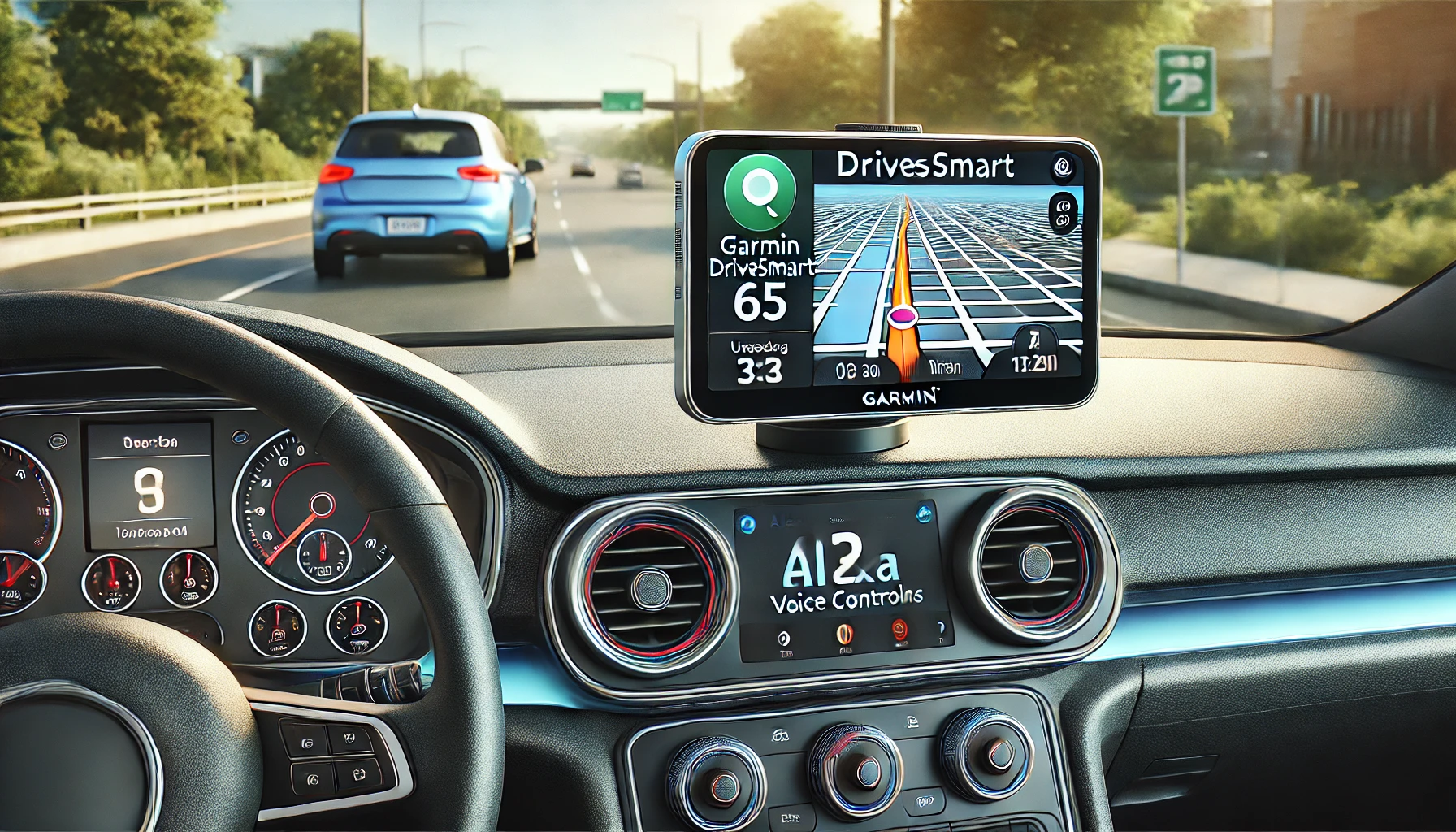
The Garmin DriveSmart 65 with Amazon Alexa is a premium GPS navigator designed for a seamless, voice-controlled, hands-free driving experience. Featuring a 6.95-inch high-resolution, edge-to-edge display, it provides crystal-clear visuals for easy navigation. Integrated Alexa voice control enhances functionality, allowing drivers to access streaming music from platforms like Amazon Music, Pandora, SiriusXM, and more—ensuring entertainment without distractions. The device also provides hands-free access to personal schedules, weather updates, news, and smart home controls, making every trip more efficient and enjoyable.
Beyond entertainment and convenience, the Garmin DriveSmart 65 excels in navigation, offering Garmin voice control for spoken directions, traffic updates, and points of interest along the route. The built-in Wi-Fi connectivity ensures that users receive automatic software and map updates for North America, eliminating the need for manual downloads. This feature helps keep navigation accurate and up-to-date, making it ideal for frequent travelers and commuters alike. The device integrates real-time traffic and road hazard alerts, keeping drivers informed and prepared for any changes on their route.
With its intuitive voice command system, seamless Alexa integration, and smart navigation features, the Garmin DriveSmart 65 is more than just a GPS—it’s a full-fledged driving assistant. Whether planning a road trip, navigating daily commutes, or managing smart home functions while on the go, this device ensures a safer, more connected, and hassle-free driving experience. By combining cutting-edge navigation with smart assistant capabilities, Garmin has created a GPS that enhances both convenience and safety, making it a must-have for modern drivers.
The Garmin DriveSmart 65 with Amazon Alexa is a modern GPS navigation system that seamlessly combines Garmin’s trusted mapping technology with Alexa’s smart assistant features. Designed for hands-free operation, it provides voice-activated navigation, real-time traffic updates, and smart home connectivity. Below is an in-depth look at its advantages and disadvantages, offering an objective assessment of its performance.
Pros of the Garmin DriveSmart 65 with Amazon Alexa
1. Large, High-Resolution Display
One of the standout features of the Garmin DriveSmart 65 is its 6.95-inch edge-to-edge touchscreen display. The bright and clear screen makes it easy to read maps, street names, and upcoming turns even in direct sunlight. The larger display is particularly useful for those who prefer not to rely on small smartphone screens for navigation.
2. Accurate and Reliable Navigation
Garmin has long been a leader in GPS technology, and this device maintains that reputation. The DriveSmart 65 provides accurate and detailed directions, including lane guidance, upcoming turn notifications, and speed limit alerts. Users appreciate its ability to quickly detect addresses, including locations like gas stations, hotels, and rest stops along the route. It also automatically detects nearby businesses based on a simple keyword search, making navigation extremely intuitive.
3. Voice-Controlled Hands-Free Operation
With Alexa built-in, this GPS allows users to control navigation, play music, check the weather, and manage smart home devices without taking their hands off the wheel. This is a major safety advantage, reducing distractions while driving. The Garmin voice assistant also allows for hands-free navigation control, meaning you can ask for directionswithout needing to input them manually.
4. Built-in Wi-Fi for Easy Updates
Unlike older Garmin models that required connecting to a computer for software and map updates, the DriveSmart 65 supports Wi-Fi connectivity. This means users can download new maps and software directly to the device, making it a hassle-free experience.
5. Offline Navigation – Works Without a Cell Signal
One of the biggest advantages over smartphone-based GPS apps is that the Garmin DriveSmart 65 does not rely on cellular service. Unlike Google Maps or Apple Maps, which require an active data connection, this device works anywhere, making it ideal for rural areas, remote locations, and long road trips.
6. Smart Traffic and Road Hazard Alerts
The device provides real-time traffic updates when connected to a smartphone via the Garmin Drive app. It can warn users of road closures, traffic jams, accidents, and speed limit changes. Some users noted that its live-time traffic warnings are extremely accurate, even suggesting alternative routes that saved them hours of driving time.
7. Bluetooth Connectivity for Hands-Free Calling
The Garmin DriveSmart 65 supports Bluetooth connectivity, allowing it to pair with smartphones for hands-free calling. Calls can be answered directly through the GPS without needing to pick up a phone, increasing convenience and safety while driving.
8. Great for Older Drivers or Those Who Prefer Standalone GPS Devices
While many drivers now rely on smartphone GPS apps, this device is ideal for older users, travelers, or professionals who prefer a dedicated navigation system. It’s especially beneficial for truck drivers, delivery workers, and real estate agents who require reliable navigation without draining their phone battery.
9. Clear Voice Commands and Turn-By-Turn Directions
The Garmin DriveSmart 65’s spoken turn-by-turn directions are clear and precise. It even announces street names and provides early lane guidance, ensuring drivers are prepared well in advance for exits or turns. Some users also noted the helpful audible warning pings when speed limits change.
10. Enhanced Safety Features
This GPS device offers additional safety functions, such as:
- Break reminders (suggesting rest stops on long drives)
- Speed limit warnings
- Lane assist with real-time guidance
- Driver alerts for sharp curves, railroad crossings, and school zones
These features enhance overall driving safety and awareness.
Cons of the Garmin DriveSmart 65 with Amazon Alexa
1. Alexa Features Require a Smartphone Connection
While Alexa integration is a great addition, it is not built into the GPS itself. To use Alexa’s features, the Garmin DriveSmart 65 must be connected to a smartphone running the Garmin Drive app. This means users must have their phone connected and the app running, which may be inconvenient for those who prefer a fully standalone GPS device.
2. No Built-In Traffic Updates (Without a Phone)
Unlike some high-end GPS devices that include built-in traffic data, this Garmin model requires a smartphone connection to access real-time traffic updates. If the phone is disconnected, users lose access to live traffic information, making it less reliable than smartphone-based GPS services.
3. Limited Remote Control Range
Several users reported that the voice control range is limited, requiring them to speak louder or repeat commands if the car has road noise or music playing. While Alexa works well in quiet environments, it may struggle in noisier situationslike highway driving.
4. No Battery Backup – Requires Constant Power
Unlike smartphones or standalone GPS units with rechargeable batteries, the DriveSmart 65 requires a constant power source via a USB-A port. If unplugged, it will shut off after 13 minutes, which could be frustrating if making frequent stops.
Frequently Asked Questions (FAQ)
1. Does the Garmin DriveSmart 65 work without a smartphone?
Yes, the Garmin DriveSmart 65 functions perfectly as a standalone GPS device. Core navigation features—including turn-by-turn directions, offline maps, lane guidance, and speed alerts—work without any smartphone connection or cellular signal.
However, certain smart features such as Alexa voice commands, real-time traffic updates, and weather alerts require pairing with a smartphone via the Garmin Drive app. If you disconnect your phone, the device still navigates reliably, but those connected features will be unavailable.
2. Is Alexa fully built in, or does it require a phone connection?
Alexa is integrated into the Garmin DriveSmart 65 interface, but it requires a smartphone connection to function. The device uses your phone’s internet connection to process Alexa commands, stream music, check weather updates, or control smart home devices.
This means Alexa is not an independent, always-on assistant inside the GPS itself. Drivers who want voice assistance without touching their phone will still benefit, but the phone must remain connected in the background.
3. Can the Garmin DriveSmart 65 be used without internet or mobile data?
Yes, navigation works entirely offline once maps are installed. Garmin maps are stored locally on the device, so routing, address search, and turn-by-turn guidance remain available even in areas with no signal.
That said, live services such as traffic conditions, road hazards, and Alexa features rely on an internet connection through a paired smartphone. For rural travel, road trips, or areas with poor reception, the offline navigation capability is one of the DriveSmart 65’s strongest advantages over smartphone-only GPS apps.
4. Is the Garmin DriveSmart 65 better than using Google Maps or Apple Maps?
It depends on your priorities. Smartphone apps like Google Maps often excel in real-time traffic rerouting, but they rely heavily on mobile data and can drain phone batteries quickly.
The Garmin DriveSmart 65 offers advantages in screen size, offline navigation, stability, and driving-focused safety alerts. Many users prefer it for long road trips, professional driving, or situations where phone signal is unreliable. It’s especially appealing to drivers who want a dedicated navigation device rather than relying on their phone for everything.
5. Who is the Garmin DriveSmart 65 best suited for?
The DriveSmart 65 is particularly well suited for:
-
Drivers who frequently travel long distances
-
Older users who prefer large screens and clear directions
-
Delivery drivers, real estate agents, and professionals on the road
-
RV or road-trip travelers who need reliable offline navigation
-
Anyone who wants navigation without draining their smartphone battery
If you value simplicity, clarity, and reliability over app-based convenience, this device makes a lot of sense.
6. Does the Garmin DriveSmart 65 provide real-time traffic updates?
Yes—but only when connected to a smartphone. Real-time traffic, accident alerts, and road condition updates are delivered through the Garmin Drive app using your phone’s data connection.
Without a phone connection, traffic data is unavailable, but standard navigation remains fully functional. Some users prefer this hybrid approach because it allows them to choose when they want connected features and when they want fully offline navigation.
7. Is the Garmin DriveSmart 65 still worth buying today?
For users who prefer a dedicated GPS over smartphone navigation, the Garmin DriveSmart 65 remains a strong and relevant option. Its large, clear display, offline navigation reliability, and driver-focused safety features continue to stand out.
While smartphone apps evolve quickly, many drivers still value the consistency, stability, and distraction-free experience of a standalone GPS—especially for long trips or professional use. If those qualities matter to you, the DriveSmart 65 is still a worthwhile investment.
Final Verdict: Is the Garmin DriveSmart 65 Worth It?
The Garmin DriveSmart 65 with Amazon Alexa is a powerful and reliable GPS device that offers accurate navigation, real-time traffic updates, and Alexa voice integration. It is particularly well-suited for drivers who travel in areas with poor cell coverage, older users who prefer standalone GPS units, and those who want a hands-free driving assistant.
While Alexa integration and live traffic updates require a smartphone connection, and Google Maps remains superior for traffic rerouting, the Garmin DriveSmart 65 excels in screen clarity, offline navigation, safety alerts, and ease of use. For those who prioritize accuracy, reliability, and a distraction-free navigation experience, it is one of the best GPS options available.
Overall Rating: ⭐⭐⭐⭐⭐ (4.5/5)
Best For: Road trips, older drivers, delivery professionals, and those who prefer a dedicated GPS over a smartphone.
