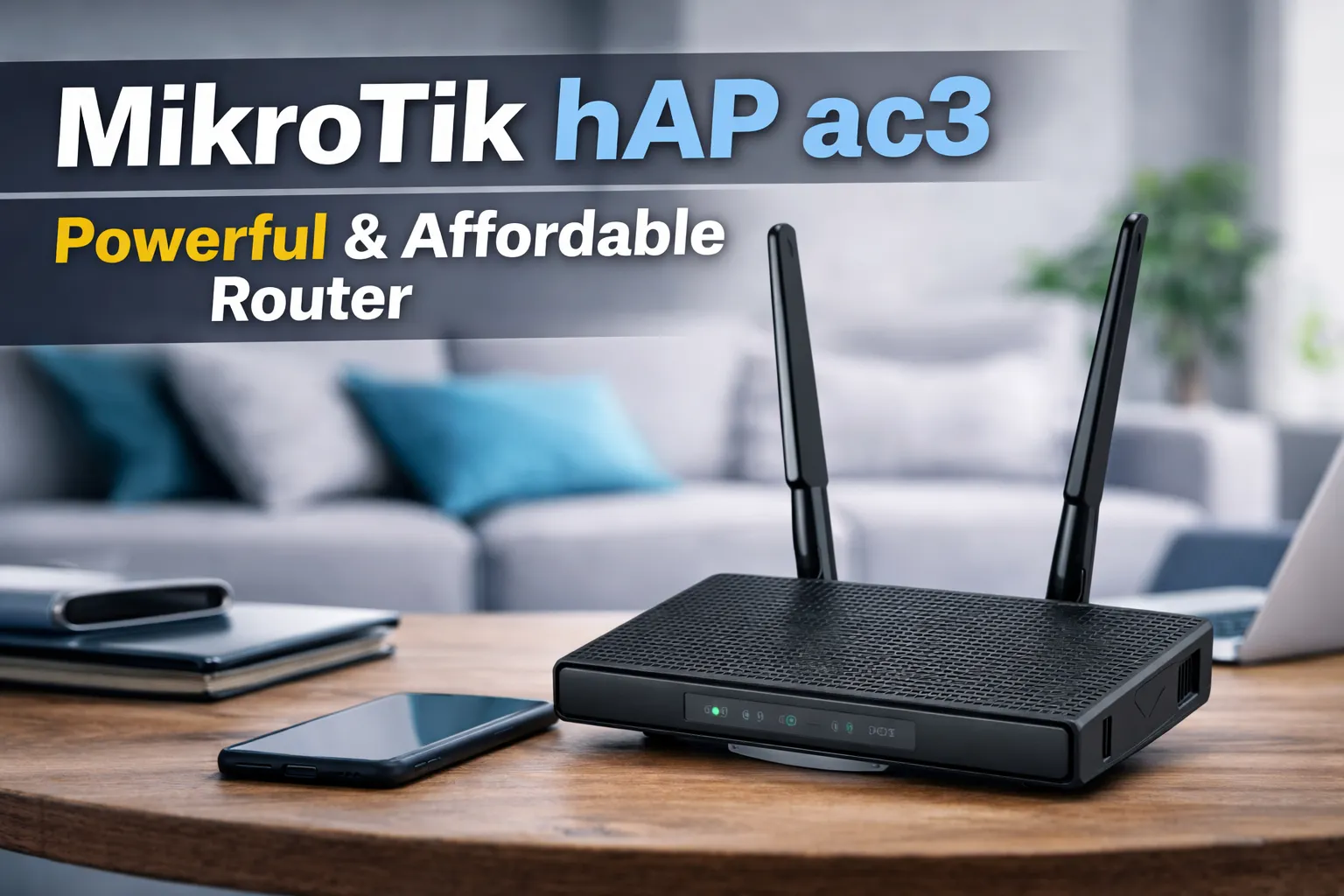
The MikroTik hAP ac3 is a versatile and affordable home access point designed to meet the needs of modern households. It boasts external high-gain wireless antennas that provide outstanding coverage, ensuring a strong and stable wireless connection in every room. The device is equipped with five Gigabit Ethernet ports, 256 MB of RAM, and a quad-core CPU, making it capable of handling the demands of even the largest and most active households.
With Power over Ethernet (PoE) support, the hAP ac3 can either power other devices or be powered by them, adding to its flexibility. Additionally, it features 128 MB of NAND storage and a full-size USB port, allowing for the addition of extra storage if needed. The router’s enclosure is designed for both vertical and horizontal mounting, with a wall mount set included for easy installation.
Overall, the MikroTik hAP ac3 is a feature-rich and reliable solution for those seeking a high-performance home access point that can accommodate the growing number of connected devices in today’s households.
Pros of the MikroTik hAP ac3
Strong and Consistent WiFi Signal With External High-Gain Antennas
One of the most frequently praised strengths of the MikroTik hAP ac3 is its strong and stable WiFi performance, largely thanks to its external high-gain antennas. Users report noticeably better signal penetration compared to compact, internal-antenna routers, with reliable connections maintained across multiple rooms and floors. Even in homes with thick walls or interference from neighboring networks, the hAP ac3 delivers steady coverage without frequent drops. This makes it especially suitable for users who value signal consistency over flashy peak-speed marketing numbers.
Excellent Value for Money in the Prosumer Router Segment
The hAP ac3 is widely regarded as a standout value option, particularly for users who want more than consumer-grade features without paying enterprise-level prices. At its price point, it offers hardware specifications and routing capabilities that are often reserved for significantly more expensive devices. Many users note that comparable performance from mainstream brands would require a much higher budget, making the hAP ac3 an attractive choice for cost-conscious power users and small offices.
Quick Initial Setup With Flexibility for Later Customization
Despite MikroTik’s reputation for complexity, many users report that the initial setup of the hAP ac3 is surprisingly fast and straightforward. Basic internet connectivity can be established in just a few minutes using default configurations or the Quick Set interface. This allows new users to get online quickly, while still preserving the option to dive deeper into advanced configuration later. For households that want “plug-and-play now, fine-tuning later,” this balance is a major advantage.
High Processing Power for Demanding Multi-Device Environments
Powered by a quad-core 1.5 GHz CPU and 256 MB of RAM, the hAP ac3 is well equipped to handle demanding network scenarios. Users report smooth performance even with many devices connected simultaneously, including smartphones, laptops, smart TVs, IP cameras, and IoT devices. Tasks such as VPN handling, traffic shaping, firewall rules, and multiple VLANs can run concurrently without noticeable slowdowns. This hardware headroom makes the router particularly appealing for tech-savvy households and home labs.
Strong WiFi Range Without the Need for Mesh or Extenders
In real-world usage, many users find that the hAP ac3 provides sufficient coverage for medium to large homes without requiring additional extenders or mesh nodes. The combination of antenna design and transmit power allows the router to cover areas that previously required signal boosters. For users who prefer a simple, single-router setup rather than managing mesh systems, this standalone range performance is a clear benefit.
Versatile Wired Connectivity and PoE Support
The router’s five Gigabit Ethernet ports provide ample flexibility for wired devices such as desktops, NAS units, gaming consoles, and access points. Additionally, the inclusion of Power over Ethernet (PoE) support adds deployment flexibility, allowing the router to be powered in non-traditional setups where wall outlets may be limited. This versatility is frequently appreciated by users setting up home offices, small business networks, or structured cabling systems.
Proven Durability and Long-Term Reliability
Durability is another area where the hAP ac3 earns consistent praise. Many long-term owners report running the router continuously for years without hardware failures or performance degradation. Unlike some consumer routers that require periodic reboots, the hAP ac3 is known for stable uptime and predictable behavior. This reliability is particularly valued in environments where uninterrupted connectivity is essential.
Extensive Advanced Features for Users Who Want Full Control
For users with networking knowledge, the hAP ac3 offers an exceptionally rich feature set through RouterOS. Advanced routing, firewall rules, traffic shaping, VPNs, VLANs, scripting, and monitoring tools are all available. This level of control allows the router to scale from a simple home gateway into a sophisticated network appliance. While beginners may not use all features immediately, advanced users appreciate the long-term flexibility and learning potential.
Consistent Performance Without Random Reboots or Disconnects
Reliability extends beyond hardware into daily operation. Users consistently note that the hAP ac3 runs for long periods without random disconnects, WiFi instability, or forced reboots. Once properly configured, the router behaves predictably under load, which builds trust over time. This consistency is one of the reasons many users stick with MikroTik devices across multiple upgrades.
Clean, Modern Design Suitable for Open Placement
Unlike many routers that must be hidden away, the hAP ac3 features a clean and modern design that users are comfortable placing in visible areas. Its vertical form factor and understated aesthetics allow it to blend into home offices or living spaces without looking out of place. While design is secondary to performance, users still appreciate having a router that does not visually clash with their environment.
Cons of the MikroTik hAP ac3
Steep Learning Curve for Users Without Networking Background
The most commonly mentioned drawback of the MikroTik hAP ac3 is its steep learning curve, particularly for users without prior networking experience. While basic connectivity can be achieved through the Quick Set wizard, moving beyond simple configurations quickly exposes users to a complex and highly technical interface. RouterOS presents an extensive range of menus, parameters, and terminology that can feel overwhelming to beginners. Tasks that are simple on consumer routers—such as port forwarding, QoS tuning, or WiFi optimization—often require deeper understanding and more manual configuration on MikroTik devices. For users expecting a purely consumer-friendly experience, this complexity can initially feel intimidating.
Documentation and Learning Resources Can Feel Fragmented
Although MikroTik offers official documentation and an active community, some users report that learning resources are not always as clear or beginner-oriented as they would like. Official documentation often assumes a certain level of networking knowledge and may focus more on describing features than guiding users step-by-step through common real-world scenarios. As a result, new users sometimes rely heavily on forums, YouTube tutorials, or trial-and-error to complete configurations. While this ecosystem works well for technically inclined users, it can slow down adoption for those who prefer concise, task-focused instructions.
Lack of an Intermediate Configuration Mode
A recurring criticism is the absence of a true “middle ground” configuration mode. The hAP ac3 essentially offers two extremes: a very basic Quick Set wizard for simple setups, or full manual control through RouterOS with its complete feature set. Users who want more control than Quick Set provides—but who are not ready to dive fully into advanced routing concepts—may find this gap frustrating. An intermediate mode with guided advanced options could make the router more approachable for semi-technical users, but currently, MikroTik leaves that progression entirely up to the user.
Advanced Capabilities May Be Unnecessary for Casual Home Users
For some households, the hAP ac3’s extensive feature set may simply be more than what is needed. Users with modest internet plans, a small number of devices, and no interest in VLANs, VPNs, or traffic shaping may never take advantage of the router’s full capabilities. In these cases, the additional complexity offers little practical benefit compared to simpler consumer routers that deliver adequate performance with less configuration effort. While this is not a flaw in the hardware itself, it does mean the hAP ac3 is not always the most efficient choice for users seeking a purely hands-off solution.
Larger Physical Size Compared to Compact Consumer Routers
The hAP ac3 is noticeably larger than many modern consumer routers, especially compact WiFi 6 models with internal antennas. Its vertical form factor and external antennas require more physical space, which may be a consideration for users with limited shelving or cabinet space. While many users appreciate the design and signal benefits of external antennas, those prioritizing minimal footprint or discreet placement may find the size less convenient. This is primarily a placement consideration rather than a functional drawback, but it is worth noting for space-constrained environments.
Frequently Asked Questions (FAQs) – MikroTik hAP ac3
Is the MikroTik hAP ac3 suitable for beginners?
The MikroTik hAP ac3 can work for beginners at a basic level, but it is not a true beginner-friendly router. Basic internet access can be set up quickly using the Quick Set wizard, allowing users to get online without advanced configuration. However, once users want to customize WiFi behavior, port forwarding, firewall rules, or performance tuning, the interface becomes significantly more complex than typical consumer routers. It is best suited for users who are willing to learn networking concepts or grow into the router over time.
How strong is the WiFi signal compared to consumer routers?
The hAP ac3 is widely praised for its WiFi signal strength and consistency. Thanks to its external high-gain antennas, users often report better coverage than compact consumer routers with internal antennas. In medium to large homes, the signal remains stable across multiple rooms and floors, and many users find they do not need additional extenders or mesh systems. While it is not a WiFi 6 router, its real-world WiFi range and stability are considered excellent for WiFi 5.
Can the MikroTik hAP ac3 handle many devices at the same time?
Yes. With a quad-core 1.5 GHz processor and 256 MB of RAM, the hAP ac3 is well equipped to handle multiple connected devices simultaneously. Users report stable performance with smartphones, laptops, smart TVs, IP cameras, gaming consoles, and IoT devices all running at once. It also handles advanced tasks such as VPNs, firewall rules, and traffic shaping without noticeable slowdowns, making it suitable for busy households and home office environments.
Does the hAP ac3 support mesh networking?
The MikroTik hAP ac3 does not support consumer-style mesh systems like ASUS AiMesh or TP-Link Deco. However, it can be used as part of a more advanced MikroTik-based network using access points, CAPsMAN, or additional MikroTik devices. This approach offers greater control and flexibility but requires more networking knowledge. Users looking for a simple, automatic mesh experience may prefer consumer mesh systems, while advanced users appreciate MikroTik’s manual scalability.
Is Power over Ethernet (PoE) supported?
Yes. The hAP ac3 supports Power over Ethernet, allowing it to be powered via PoE or to supply power to other compatible devices, depending on the setup. This adds flexibility for installations where wall outlets are limited or where structured cabling is used. PoE support is particularly useful in home labs, small offices, or network cabinets.
How reliable is the MikroTik hAP ac3 for long-term use?
Reliability is one of the hAP ac3’s strongest points. Many users report running the router continuously for years without hardware failures, random reboots, or connection drops. Once properly configured, it is known for stable uptime and predictable behavior. This makes it a popular choice among users who prioritize long-term reliability over convenience features.
Is the MikroTik hAP ac3 overkill for normal home use?
For casual users with basic internet needs, the hAP ac3 may offer more features than necessary. Users who simply want WiFi for browsing, streaming, and light gaming may not fully benefit from its advanced routing, firewall, and customization capabilities. However, for users who enjoy learning, experimenting, or future-proofing their network, the extra power and flexibility can be a long-term advantage rather than a drawback.
Does the router require frequent firmware updates or maintenance?
MikroTik regularly releases RouterOS updates, which can improve performance, security, and features. While updates are recommended, the router does not require frequent manual intervention once properly configured. Many users choose to update periodically rather than immediately, especially in stable home environments. Maintenance requirements are generally low compared to more fragile consumer routers.
Who is the MikroTik hAP ac3 best suited for?
The hAP ac3 is best suited for power users, tech-savvy homeowners, small offices, and anyone who wants strong WiFi coverage combined with advanced networking control. It is ideal for users who value reliability, customization, and learning potential over one-click simplicity. Users seeking a fully hands-off, app-driven experience may find consumer routers more comfortable, while those who want control and performance often prefer MikroTik.
(see more details and availability)

In summary, the MikroTik hAP ac3 stands out as a powerful and cost-effective router that delivers strong WiFi coverage, reliable performance, and long-term stability. Its hardware capabilities and extensive feature set make it particularly well suited for users with some networking knowledge who want greater control over their home or small office network.
However, this is not a router designed for pure plug-and-play convenience. Users who prefer minimal configuration or app-only management may find its interface and learning curve unnecessary for their needs. For those willing to invest a bit of time in setup and customization, the hAP ac3 offers a level of flexibility, reliability, and value that is difficult to match at its price point.